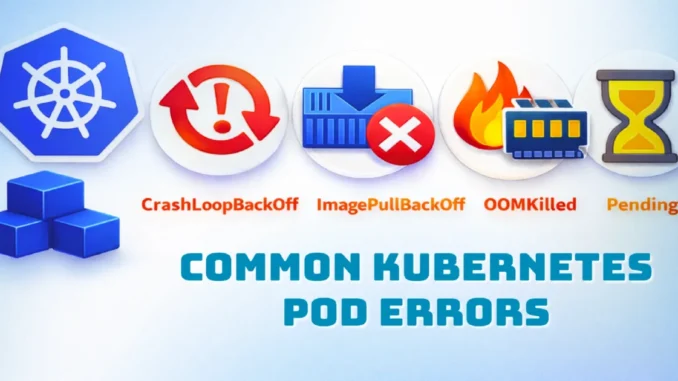
In this blog, we will discuss the most common Kubernetes Pod errors that can cause an application to go down. Some of the frequently seen Pod issues include CrashLoopBackOff, ImagePullBackOff / ErrImagePull, OOMKilled, Pending, ContainerCreating, and CreateContainerConfigError.
These errors usually occur due to configuration mistakes, insufficient resources, missing dependencies, or container image issues. In this guide, we will explain why these errors happen, how to identify them using Kubernetes commands, and how to fix them step by step in a simple and practical way.
1. CrashLoopBackOff
A Pod enters the CrashLoopBackOff state when the container starts, crashes, and Kubernetes keeps restarting it repeatedly. After multiple failed restarts, Kubernetes applies a back-off delay and shows this error.
Common Causes
- Incorrect command or entrypoint in the container
- Missing or incorrect environment variables
- Application bugs or runtime exceptions
- Application starts slowly while health probes run too early
Commands to Debug
kubectl get pods
kubectl describe pod <pod-name>
kubectl logs <pod-name>
kubectl logs <pod-name> --previous
How to Fix
- Verify and correct the
commandorentrypoint - Ensure all required environment variables are set correctly
- Increase
initialDelaySecondsfor readiness and liveness probes - Fix application-level bugs causing crashes
2. ImagePullBackOff / ErrImagePull
This error occurs when Kubernetes is unable to download the container image from the container registry.
Common Causes
- Incorrect image name or tag
- Image does not exist in the registry
- Missing or incorrect registry authentication
Commands to Debug
kubectl describe pod <pod-name>
How to Fix
- Verify the image name and tag
- Ensure the image is pushed to the registry
- Configure
imagePullSecretsfor private registries - Check registry access permissions
3. OOMKilled (Out Of Memory)
A Pod is marked as OOMKilled when the container exceeds the memory limit defined in its resource configuration.
Common Causes
- Memory limit set too low
- Memory leaks in the application
- Sudden traffic spikes causing high memory usage
Commands to Debug
kubectl describe pod <pod-name> | grep -i oom
kubectl top pod <pod-name>
How to Fix
- Increase memory limits based on actual usage
- Optimize application memory usage
- Fix memory leaks in the code
- Use Horizontal Pod Auto scaler (HPA) if required
4. Pending State
A Pod in the Pending state means it has been created but cannot be scheduled on any node. This is not an error but indicates a scheduling problem.
Common Causes
- Insufficient CPU or memory on cluster nodes
- Incorrect node selector configuration
- Taints without matching tolerations
- PersistentVolumeClaim (PVC) not bound
Commands to Debug
kubectl describe pod <pod-name>
How to Fix
- Add more nodes or resources to the cluster
- Correct node selector configuration
- Add required tolerations
- Ensure PVC and StorageClass are configured correctly
5. ContainerCreating
The ContainerCreating state means the Pod is in the process of starting but is stuck before the container becomes ready.
Common Causes
- Slow image pull
- Volume mount or PVC issues
- CNI network plugin problems
Commands to Debug
kubectl describe pod <pod-name>
How to Fix
- Fix volume and PVC configuration issues
- Ensure the CNI plugin is running correctly
- Pre-pull images if startup time is critical
6. CreateContainerConfigError
This error occurs when Kubernetes cannot create the container due to invalid configuration in the Pod or Deployment YAML file.
Common Causes
- Missing ConfigMap or Secret
- Incorrect environment variable references
How to Fix
- Verify that ConfigMaps and Secrets exist
- Check environment variable references carefully
- Correct the YAML configuration and redeploy
7. FailedScheduling
A Pod enters the FailedScheduling state when Kubernetes cannot place it on any node.
Common Causes
- Insufficient cluster resources
- Strict affinity or anti-affinity rules
- Taints not tolerated by the Pod
How to Fix
- Add more nodes or increase node resources
- Relax affinity and anti-affinity rules
- Add required tolerations
8. ContainerCannotRun
This error indicates that the container was created but failed to start due to runtime issues.
Common Causes
- Invalid command or binary
- Missing files or permission issues
- Unsupported container runtime behavior
How to Fix
- Verify the container command and entrypoint
- Check file paths and permissions
- Test the container locally before deployment
9. NodeNotReady
This error occurs when the node running the Pod is not in the Ready state.
Common Causes
- Kubelet service stopped
- Network plugin failure
- Disk or memory pressure on the node
How to Fix
- Restart the kubelet service
- Fix node networking issues
- Free disk space or memory
- Rejoin the node to the cluster if required
Follow us for more practical DevOps and Kubernetes content.
Leave a Reply